
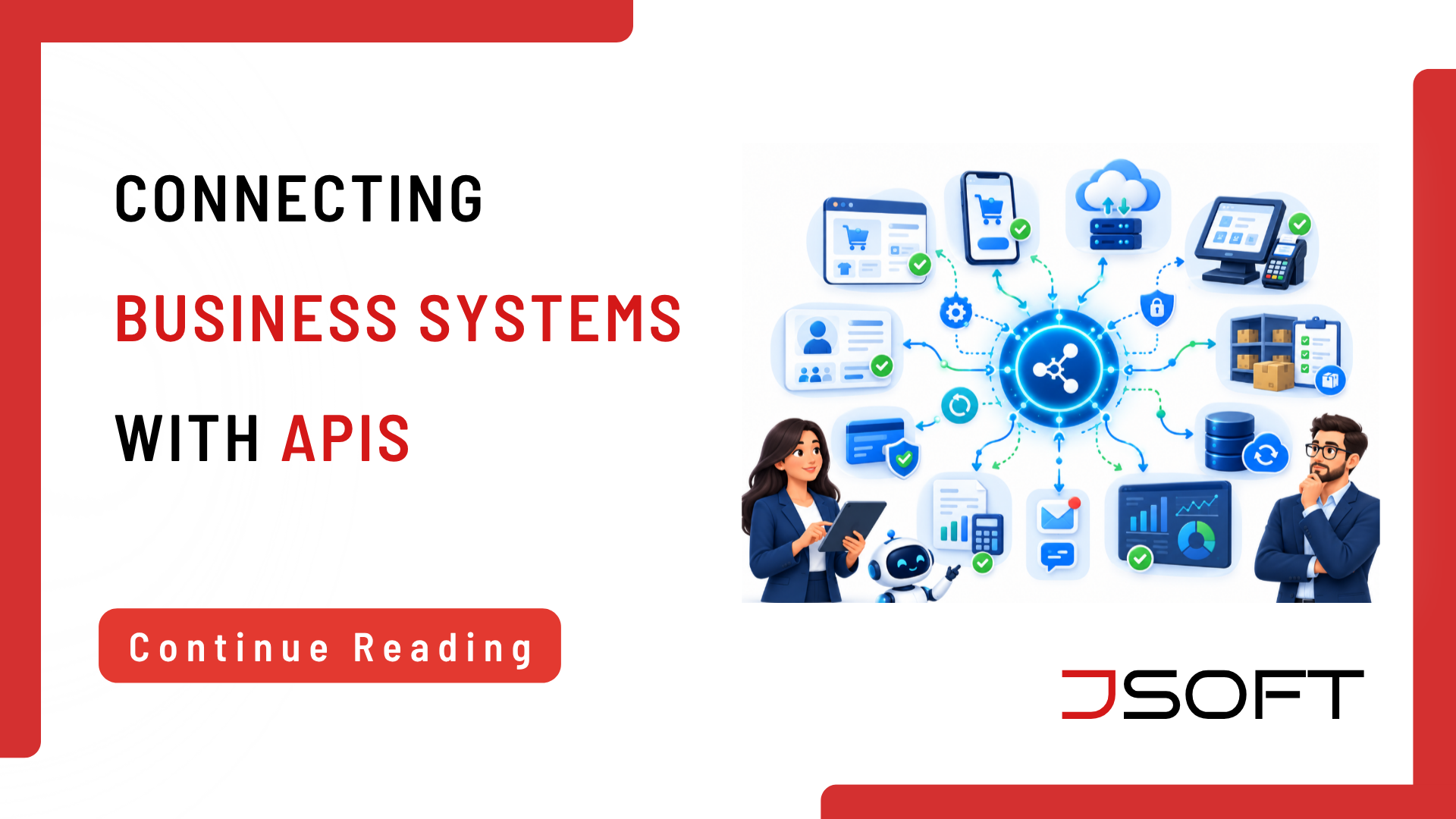
Businesses rarely rely on a single software system for everything. A company may use a website, mobile application, POS system, inventory platform, CRM, accounting software, payment gateway, and internal business management tools. The challenge is getting all these systems to work together. That is where API integration becomes important.
It allows software applications to communicate and exchange information. Instead of employees repeatedly copying data from one system to another, connected applications can transfer information and trigger actions automatically.
For businesses considering digital transformation, understanding API integration can help identify opportunities to reduce manual work, improve data consistency, and create more connected business processes.
What Is API Integration?
API stands for Application Programming Interface.
An API provides a structured way for one software application to communicate with another.
For example, imagine a business uses the following systems:
Website → CRM → Sales System → Inventory → Reporting
If these systems are not connected, employees may need to transfer information manually.
With the right API integration, information can move between systems according to defined rules.
The user may never see the API itself. They simply experience a smoother, more efficient business process.
Why Do Businesses Need API Integration?
Businesses often accumulate different software systems over time.
One application may be excellent for sales.
Another may manage employees.
Another may manage inventory.
Another may handle payments.
Problems arise when these systems operate independently.
Without integration, employees may have to:
- Copy customer information
- Re-enter orders
- Export spreadsheets
- Reconcile data
- Send reports manually
- Update several systems separately
API integration can reduce much of this unnecessary manual work.
How Does API Integration Work?
An application sends a request through an API.
2. The Receiving System Processes the Request
The receiving application validates the request and determines what information or action is required.
3. The System Returns a Response
The receiving system returns the requested information or confirmation.
4. The Business Process Continues
The original system uses that information to continue the workflow.
This entire process can happen in the background, without requiring manual intervention at every step.
Common Examples of API Integration in Business
A sales transaction can be connected to an inventory system so that stock levels are updated as transactions take place.
When a customer submits an enquiry through a website, the information can be transferred directly into a CRM system.
This reduces manual entry and helps sales teams respond more quickly.
A mobile application may need to retrieve customer information, submit transactions, update records, or retrieve other data.
APIs provide the communication layer between the mobile application and backend systems.
An application can communicate with a payment provider to initiate or verify payment-related transactions.
Operational information from different systems can be transferred into reporting tools, giving management a more complete view of business activity.
API Integration and Business Automation
API integration and automation often work together.
Consider a simple example:
Customer places an order
↓
Payment is confirmed
↓
Inventory is updated
↓
Customer record is updated
↓
Notification is sent
↓
Management report is updated
Without integration, several of these steps might require manual intervention.
With the right integrations and automation rules, the entire workflow can become much more efficient.
API Integration vs Manual Data Transfer
Employees:
- Export information
- Copy information
- Re-enter information
- Reconcile data
- Send updates
Systems:
- Exchange information
- Trigger actions
- Update records
- Provide status information
Manual processes may be acceptable for low-volume activities.
However, as transaction volumes increase, manual data transfer can become time-consuming and prone to errors.
What Makes an API Integration Successful?
Connecting two systems is only the beginning.
A successful integration should consider:
- Data requirements
- Data mapping
- Authentication
- Authorization
- Security
- Error handling
- Logging
- Monitoring
- Performance
- Scalability
- API versioning
- Testing
- Maintenance
The business purpose should also be clearly defined.
Not every system needs to be integrated with every other system.
The goal should be to solve a real business problem, not to connect systems simply because it is technically possible.
API Security and Data Protection
APIs can provide access to business data and functions, so security needs to be considered from the beginning.
Businesses should evaluate:
- Authentication
- Authorization
- Encryption
- Access permissions
- Input validation
- Logging
- Monitoring
- Sensitive data handling
Security requirements will depend on the systems being connected and the type of information being exchanged.
When Should a Business Consider API Integration?
API integration may be worth considering when:
- Employees repeatedly transfer information between systems
- The same information is stored in several systems
- Data entry creates frequent errors
- Business processes depend on manual handoffs
- Customers expect faster updates
- Management needs information from multiple systems
- Different software platforms need to work together
The first step is to identify the business process causing the problem.
Only then should you choose the most suitable technical integration approach.
How JSOFT Can Help Businesses Connect Their Systems
Modern business software should support the way a business actually operates.
JSOFT provides software and digital solutions that can help businesses improve operational efficiency and reduce manual processes. Its broader software offering includes business applications, task management, POS, and other digital tools. Businesses benefit when their operational functions work together instead of relying on disconnected systems.
API integration can be an important part of custom software development, mobile application development, business automation, and digital transformation.
For example, a business may need a mobile application to communicate with its backend system or require one business application to exchange information with another platform.
The integration should always be designed around the business workflow and technical requirements.
Final Thoughts on API Integration
API integration is one of the technologies that makes modern business software more connected.
Instead of treating each application as an isolated system, businesses can connect the tools that support customers, employees, sales, operations, payments, inventory, and reporting.
The most valuable integration isn’t necessarily the most technically complicated.
It is the integration that solves a real business problem.
By reducing unnecessary manual work, improving data flow, and connecting business systems, API integration can become an important part of a company’s digital transformation strategy.
Frequently Asked Questions
Why is API integration important for businesses?
It can reduce duplicate data entry, connect workflows, improve data consistency, and support automation.
What is an example of API integration?
A POS system communicating with an inventory system is one common example.
Is API integration the same as automation?
No. API integration connects systems, while automation uses workflows or rules to perform actions with limited manual intervention. API integration can provide the foundation for automation.
Is API integration secure?
It can be secure when appropriate authentication, authorization, encryption, validation, logging, monitoring, and access controls are implemented.
When should a business integrate software systems?
Integration should be considered when manual data transfer is repetitive, error-prone, slow, or prevents systems from supporting efficient business workflows.